Startup Wars is only available for Mac and Windows
Please go to your computer and open this page from there. If you are already on a computer, please maximize the window to see the download options.
Download Startup Wars
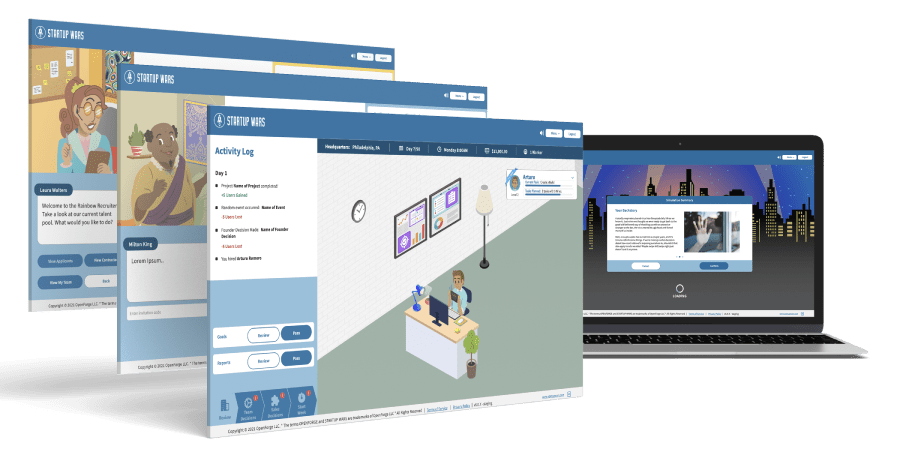
Startup Wars is an entrepreneurship simulation platform and game that teaches players the principles of starting a business! You can use the app either via web or by downloading and installing the application on your computer.
To get started, students can use the web version:
Use the Web Version - No Download Required!
Having troubles with the web version?
Note: You'll need to manually enter your registration code with this approach!
Download for Windows Download for Mac
Having trouble? Try these instructions!
- Click here to see Instructions to Install on Mac
- Click here to see Instructions to Install on Windows
Access options
Choose the Startup Wars option that fits your device
Most students can start with the web version. It runs in a modern web browser and does not require an installer. The Windows and Mac downloads are available for people who need the desktop application or have been directed to use it by an instructor or school technology team.
Before downloading
- Confirm whether your device uses Windows or macOS.
- On a school-managed computer, ask your technology team whether you have permission to install applications.
- Keep your Startup Wars registration or access information ready so you can sign in after installation.
If you need help
Include your operating system, the option you selected, and the exact error message when contacting support. A screenshot can help the team diagnose an installation or sign-in problem more quickly.
Email Startup Wars support