Curriculum-friendly
Bring active practice to entrepreneurship, business, marketing, economics, and career-readiness courses.
Bring hands-on learning to your classroom
Interactive simulations help students develop critical thinking and entrepreneurial ability through decisions that feel relevant beyond the classroom.

Author: Startup Wars. We develop the entrepreneurship simulations and teaching resources described on this site. This vendor-authored guide draws on that product knowledge to help educators evaluate scenarios and plan instruction. Review our published educational-use sources.
Make learning practical and engaging
Bring classroom theories into real-world contexts. Startup Wars gives educators an engaging way to teach entrepreneurship, strategic planning, and business management without asking students to take real-world risks.
Bring active practice to entrepreneurship, business, marketing, economics, and career-readiness courses.
Use in-simulation decisions and outcomes to guide discussion, reflection, and assessment.
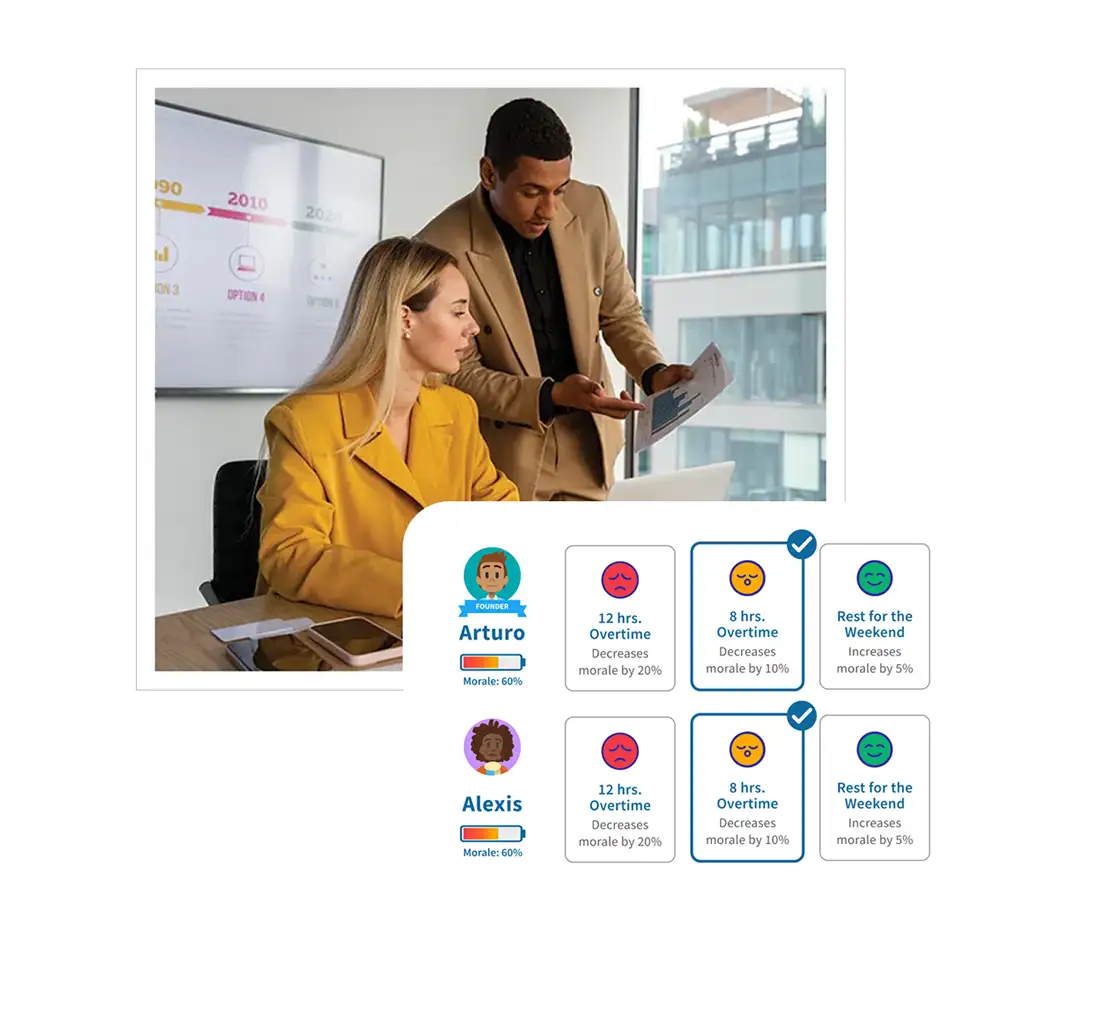
Participants make decisions, see the consequences, and reflect on what they would do next.
Practical by design
Students set priorities, manage limited resources, respond to market conditions, and learn from the results. That creates a richer class conversation than a worksheet can.
Talk to our teamBuilt around your goals
“Startup Wars is the most aligned with what real-world entry into entrepreneurship is like. The content is robust and it’s fun.”
By Startup Wars, the team developing the simulations and classroom resources linked here. This is a suggested teaching workflow. Confirm current product setup, access, and reporting in your educator demo.
A business simulation for educators is most useful when it supports a specific assignment. Start with the reasoning you want learners to demonstrate, then choose a venture that gives them a relevant decision. You can plan the lesson before deciding whether to adopt the software.
These resources are available without a sales form. They are suggested classroom materials, not measured examples of software completion time or guaranteed learning outcomes.
| Your planning task | Resource | What to prepare |
|---|---|---|
| Try a decision and debrief | Food Truck worksheet and answer key | A demand assumption, inventory choice, and profit calculation |
| Support first-time business learners | High-school Food Truck activity | Vocabulary support and an individual reflection |
| Plan a college assignment | College entrepreneurship course module | A decision memo and assessment criteria |
| Structure a lesson | Entrepreneurship lesson-plan template | Objective, student task, evidence, and discussion prompts |
Use the high-school and CTE guide to evaluate classroom fit, preparation, assessment, and school purchasing. Start with a concrete choice and check whether learners understand the terms and calculation before adding complexity.
Use the college and university guide to connect a scenario to course outcomes, a syllabus, and departmental adoption. Ask students to defend their assumptions and explain why a reasonable alternative could produce a different result.
Before using a Startup Wars classroom simulation, write a short plan that another instructor could follow. State the course objective, the scenario, the student task, and the evidence you will collect. Keep product setup questions separate from teaching decisions so an unresolved login or device issue does not get mistaken for a lesson-design problem.
Preview the selected scenario from the learner's point of view. Identify any terms students need, the information they can use, and the point where they commit to a decision. Check the current sign-in process and confirm access on school equipment. Ask how you should handle an interrupted session and where to get help.
Prepare a backup discussion using one of the printable resources above. This gives the class a useful activity if access needs attention. Set out the assignment and assessment criteria in the place students normally find their course instructions.
Ask students to record a prediction before seeing a result. If they work in groups, give each learner a chance to explain the reasoning. Pause at a meaningful choice and ask what evidence supports it. Avoid steering every group toward the same answer; different assumptions can create a useful discussion afterward.
Keep brief notes on where learners need help. Confusion about a term, difficulty with a calculation, and trouble finding a control call for different responses. Those notes help you improve the next lesson and identify questions for the product team.
Collect a short individual reflection alongside any team submission. Ask what changed, why the result differed from the prediction, and what evidence would improve the next decision. Review the work against the objective you set at the start.
For your own planning, record what you would keep, simplify, or explain earlier. Estimate the preparation and review time you actually spent. If colleagues are considering adoption, share those observations together with the scenario and class context. A useful evaluation describes both the teaching opportunity and the work needed to make it fit your course.
For a first lesson using the printable Food Truck activity, ask learners to choose an inventory level and explain the risk of unsold stock. Have them calculate revenue, preparation costs, the event fee, and profit. Then compare the two demand cases in the answer key. This paper exercise helps you preview the discussion; it is separate from software access and product results.
Before class, decide whether students will calculate individually or compare answers in pairs. During the debrief, ask which cost remains even when a meal does not sell. Finish with a short response: “What information would you want before placing tomorrow's order?”
For a later software lesson, ask to see how the selected scenario presents inventory decisions and feedback. Adapt the assignment to the actual workflow you observe. Keep your learning objective and assessment criteria explicit so you can compare student reasoning across the two activities without assuming the experiences are identical.
Separate product setup from lesson preparation. You will need to preview the selected scenario, confirm access, explain the assignment, and plan a debrief. The amount of time depends on your course and learners. Ask for a walkthrough before setting a classroom schedule; we do not assume every teacher or scenario needs the same preparation.
Collect the student's reasoning before the outcome appears and a reflection afterward. Look for evidence, a sound calculation, recognition of a tradeoff, and a justified revision. A team result can support discussion, while an individual response helps you see each learner's understanding.
Share your course level, learning objective, class size, intended start date, and device or accessibility requirements. Ask to see the student experience and current instructor workflow. Review pricing and access and product accessibility information as part of your adoption review.
The Startup Wars evidence page links to published educational use and independent recognition. It distinguishes those sources from company-reported adoption totals. Use the evidence alongside a scenario preview and your own teaching requirements.
Ready to discuss your course? Request an educator demo.
See it in action
See how a simulation can fit your students, course, and teaching goals.
Schedule a free demo