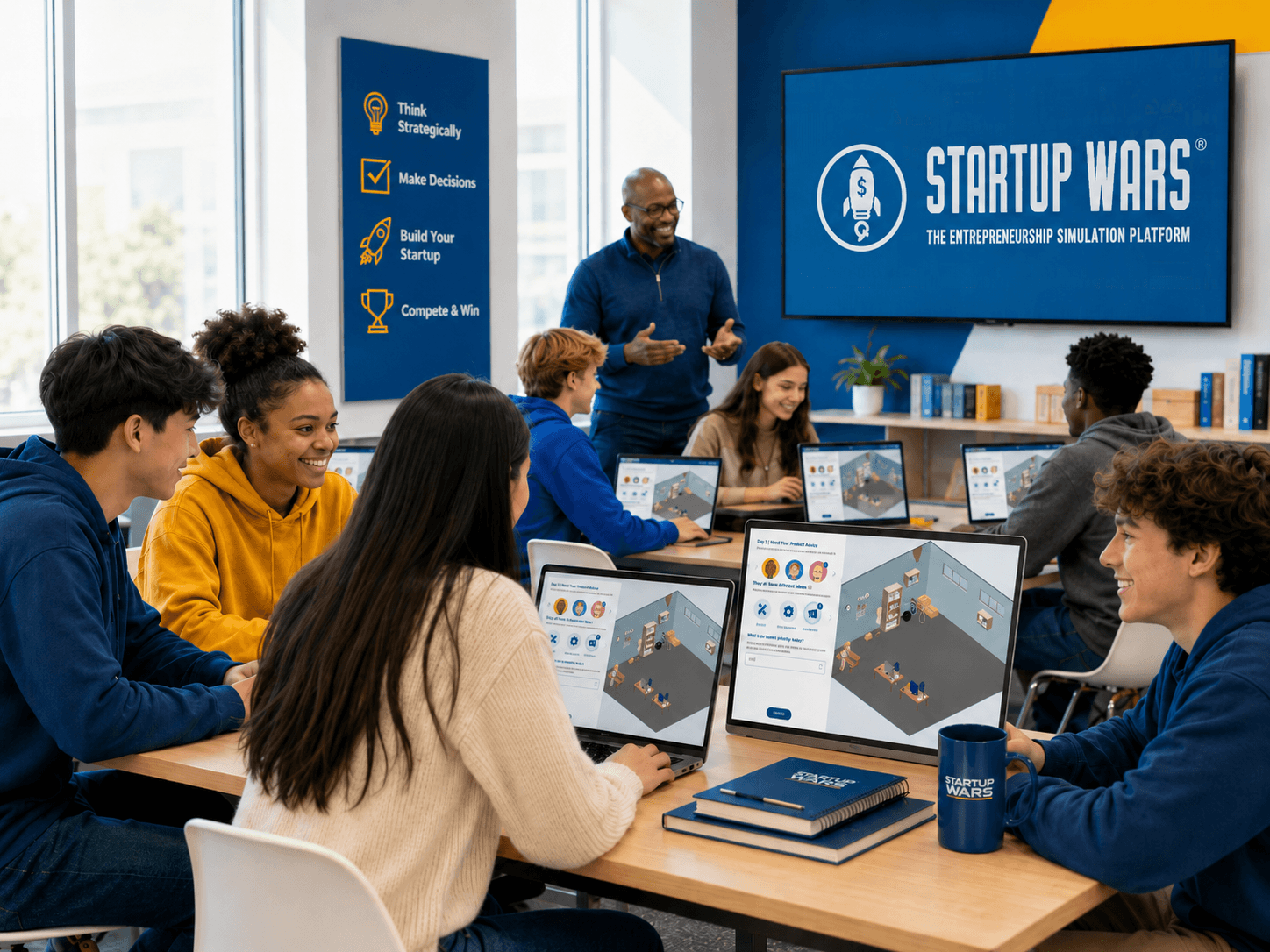
A diverse group of students work together on laptops in a bright classroom as an instructor leads an entrepreneurship activity using the Startup Wars simulation platform, shown on a large display at the front of the room. They're about to review wcag-2-1-aa-compliance of the platform

Table of Contents

In 2026, accessibility in education technology has reached a turning point.

For colleges, schools, entrepreneurship programs, and youth development organizations, accessibility is no longer a behind-the-scenes technical requirement. It is part of how institutions choose digital learning tools, support diverse learners, and create classrooms where every student has a fair opportunity to participate.

At Startup Wars, we see WCAG 2.1 AA compliance as more than a checklist. It is a catalyst for building a stronger, clearer, and more inclusive learning experience for every student and educator using our platform.

Startup Wars is a web-based educational application that includes an instructor portal, a student portal, and interactive entrepreneurship simulations. Students use the platform to make startup decisions, manage resources, respond to real-world business challenges, and learn by doing in a safe, gamified environment. That kind of active learning should be accessible by design.

In this guide, we’ll explain what WCAG 2.1 AA compliance means for educational software, what Startup Wars has improved, and how educators can evaluate accessible edtech before bringing it into the classroom.

What is WCAG 2.1 AA compliance for accessible edtech?

Startup Wars infographic explaining WCAG 2.1 AA compliance through four accessibility principles: perceivable, operable, understandable, and robust.

WCAG 2.1 AA compliance refers to a set of accessibility standards created by the World Wide Web Consortium to help digital products work better for people with a wide range of disabilities, including visual, physical, cognitive, auditory, and neurological disabilities.

For educational software, WCAG 2.1 AA compliance focuses on practical user experience requirements such as keyboard navigation, screen reader support, readable contrast, visible focus states, clear labels, predictable structure, helpful error messages, and compatibility with assistive technologies.

In the classroom, that translates to something very real.

Students should be able to find assignments, move through dashboards, understand instructions, operate controls, receive feedback, and complete learning activities without unnecessary barriers. Instructors should also be able to manage classes, review student progress, and support learners with confidence.

For Startup Wars, WCAG 2.1 AA compliance is especially important because the platform is interactive. Students are not just reading information on a page. They are actively participating in a business simulation, making decisions, navigating different workflows, and responding to changing scenarios.

Accessibility matters because participation matters.

Why WCAG 2.1 AA compliance matters for business simulations

A business simulation is different from a static webpage or downloadable worksheet.

Students may need to open dialogs, review dashboards, move through setup flows, read progress indicators, compare performance data, and interact with simulation controls. Instructors may need to create classes, manage assignments, launch simulations, review reports, and guide students through different learning stages.

That level of interaction creates a richer learning experience, but it also raises the accessibility bar.

WCAG 2.1 AA compliance helps ensure that digital learning environments are designed with different access needs in mind. For simulation-based learning, this includes:

1. Keyboard-operable controls for users who do not use a mouse
2. Clear headings and landmarks for screen reader navigation
3. Visible focus indicators so users can see where they are on the page
4. Stronger color contrast for improved readability
5. Labels and instructions that clarify what students need to do
6. Status messages that communicate changes in the interface
7. Predictable navigation patterns across student and instructor workflows

These details may sound technical, but their classroom impact is simple: they reduce friction.

When an interface is easier to navigate, students can focus more on learning entrepreneurship and less on figuring out where to click next. When instructions and controls are clearer, instructors spend less time troubleshooting and more time facilitating discussion, reflection, and strategy.

Because whiteboards alone won’t cut it anymore — and neither will learning software that only works well for some students.

The accessibility vision behind Startup Wars

Startup Wars was built around a simple educational belief: students learn entrepreneurship best when they can practice it.

Instead of only reading case studies or listening to lectures, students step into realistic startup scenarios. They make decisions, test ideas, experience consequences, and develop practical skills like critical thinking, teamwork, financial literacy, resource management, and decision-making.

Accessibility supports that mission.

If the purpose of Startup Wars is to help more students experience hands-on entrepreneurship learning, then the platform itself needs to keep becoming more usable, more navigable, and more inclusive.

That is why our accessibility work focuses on both the student and instructor experience. Improving WCAG 2.1 AA compliance is not only about supporting procurement review or meeting technical expectations. It is about creating a smoother classroom experience for the people using Startup Wars every day.

For students, that means clearer pathways into simulations and stronger support across interactive flows.

For instructors, it means more accessible class management, assignment workflows, reports, dashboards, and setup experiences.

For schools, it means having better documentation and a clearer understanding of how Startup Wars is approaching accessibility across the product.

How Startup Wars is improving accessibility across the platform

As part of our ongoing accessibility work, Startup Wars has made meaningful improvements across the instructor portal, student portal, simulation shell UI, overlays, dialogs, setup flows, reports, HUDs, and shared simulation components.

Startup Wars accessibility technology interface showing WCAG 2.1 AA compliance callouts for navigation, labels, focus states, and status messages.

Our April 2026 Accessibility Conformance Report documents this progress and notes that Startup Wars is actively improving accessibility while building toward WCAG 2.1 AA compliance. The report states that Startup Wars “Partially Supports WCAG 2.1 Level A and Level AA,” which is the current VPAT-supported conformance language.

The bigger story is this: accessibility improvements are making Startup Wars easier to navigate, easier to understand, and better prepared for inclusive classrooms.

Startup Wars’ accessibility updates span the instructor portal, student portal, and simulation-related web interface. According to the Accessibility Conformance Report, the evaluated scope includes the simulation shell UI, HUDs, dialogs, overlays, setup flows, reports, and shared support components.

These improvements are designed to make the platform more usable across a wider range of learner and educator needs.

Key accessibility improvements in action

Startup Wars has documented accessibility remediation across several important areas:

Six accessibility improvement areas in Startup Wars: keyboard access, screen readers, contrast, focus states, labels, and status messages to comply with WCAG 2.1 AA compliance

1. Improved structure and navigation

Headings, landmarks, lists, tables, tablists, dialogs, radio groups, form labels, and labeled regions have been addressed across portals and simulation support UI. This helps users better understand where they are and how different parts of the interface relate to each other.

2. Stronger keyboard accessibility

Many pointer-only interactions have been converted into native buttons, links, tabs, radios, or other keyboard-operable patterns. This supports users who navigate with a keyboard rather than a mouse.

3. More thoughtful dialog and overlay behavior

Dialog controls, close behavior, step-flow handling, escape handling, and overlay behavior have been improved. These updates help create a smoother experience when students or instructors move through modals and dynamic interface elements.

4. Clearer labels and accessible names

Startup Wars has improved accessible naming, roles, states, and values across portals, shared controls, and simulation support UI. This is especially important for screen reader users and for repeated actions inside dashboards, cards, and simulation interfaces.

5. Better contrast and focus styling

The report documents contrast improvements across simulation surfaces, text tokens, labels, and focus styling. These updates support low-vision users and keyboard users who need to clearly see active elements on the screen.

6. More useful status messaging

Startup Wars has increased the use of live regions, polite announcements, and status messaging across dashboards, selections, billing, and simulation support interfaces. This helps users understand when something changes in the platform.

7. Improved validation and error handling

Validation messaging, invalid-field handling, labels, and instructions have been improved across forms, setup flows, dialogs, selectors, and simulation support interfaces.

Together, these updates help Startup Wars move closer to the kind of accessible technology schools increasingly expect from modern edtech platforms.

What Accessibility Updates Has Startup Wars Made Toward WCAG 2.1 AA Compliance?

Accessibility work tends to live in technical documentation that nobody outside engineering ever reads. We wanted to do this differently. The table below translates our recent updates across the instructor portal, student portal, and simulations into language any educator, administrator, or procurement lead can actually use.

What changed, in plain EnglishWCAG 2.1 requirements Where in Startup WarsWho it helpsHow schools can verify during a demo
Pages and interface areas have clearer structureHeadings, landmarks, relationshipsInstructor portal, student portal, simulation support UIScreen reader users, keyboard usersAsk to navigate key pages with a screen reader and review heading structure
More interactions are keyboard-operableKeyboard accessibilityPortals and simulation interfacesKeyboard-only users, mobility-impaired usersAsk to launch a student simulation using only the keyboard
Dialogs and overlays behave more predictablyNo keyboard trap, focus orderDialogs, overlays, setup flowsKeyboard users, screen reader usersOpen and close modals using Tab, Shift+Tab, Enter, and Escape
Controls have clearer accessible names and rolesName, role, value; labelsCards, shared controls, simulation support UIScreen reader users, voice control usersAsk how repeated card actions or simulation controls are announced by a screen reader
Contrast and focus styling have improvedContrast, non-text contrast, focus visibleSimulation surfaces, labels, controls, dashboardsLow-vision users, keyboard usersReview visible focus indicators and contrast on key dashboards and simulation screens
Status messages communicate changes more clearlyStatus messages, live regionsDashboards, selections, billing, simulation support interfacesScreen reader users, students tracking dynamic updatesAsk what feedback is announced after selections or completed actions
Forms and setup flows provide clearer guidanceError identification, labels, instructionsForms, setup flows, dialogs, selectorsStudents using assistive tech, students who benefit from clearer directionSubmit an incomplete form and review whether the error message is clear
Surrounding web UI has documented reflow workReflow, resize text, responsive behaviorMenus, overlays, dialogs, HUD text, controls, support flowsLow-vision users, zoom usersTest browser zoom and narrow viewport behavior outside the core 2D gameplay surface

Accessible design makes Startup Wars better for everyone

One of the best things about accessibility work is that it often improves the experience for every user.

Clearer navigation helps screen reader users, but it also helps busy instructors moving quickly between class setup and reports.

Visible focus states support keyboard users, but they also make the interface easier to follow during live classroom demos. Better labels and status messages support assistive technologies, but they also reduce confusion for students who are new to simulations. Improved contrast supports low-vision users, but it also helps anyone reading dashboards during a projected lesson, in a bright room, or on a smaller screen.

In other words, WCAG 2.1 AA compliance work is not separate from user experience. It is part of building a better user experience. For Startup Wars, this is especially valuable because entrepreneurship simulations are designed to be active, collaborative, and decision-driven. Students need to understand what is happening, what action they can take next, and how their choices affect outcomes.

The more accessible the interface becomes, the more students can stay focused on strategy, experimentation, and learning.

Platform accessibility vs. classroom accessibility

A diverse group of students work together on laptops in a bright classroom as an instructor leads an entrepreneurship activity using the Startup Wars simulation platform, shown on a large display at the front of the room. They're about to review wcag-2-1-aa-compliance of the platform

WCAG 2.1 AA compliance helps create a stronger platform foundation, but inclusive learning also depends on how a tool is used in the classroom.

For example, Startup Wars can improve keyboard navigation, screen reader support, labels, focus states, and status messages within the platform. Educators can build on that foundation by giving clear instructions, setting expectations before simulations begin, supporting different learning needs, and checking that students can participate meaningfully.

That partnership matters.

Accessible edtech gives schools the infrastructure. Thoughtful teaching turns that infrastructure into an inclusive classroom experience. For business instructors, entrepreneurship program leaders, and curriculum directors, this means accessibility should be part of both procurement and implementation. A platform can provide the tools, but classroom design still shapes how students experience them.

What schools should ask when evaluating WCAG 2.1 AA compliance

Here’s a sobering number for anyone building or buying EdTech: in 2025, education sites averaged nearly 49 accessibility errors per page — and that’s after education ranked as one of the better-performing sectors on the entire web. The platforms students rely on every day to learn, take tests, and engage with course material are still riddled with barriers that block users with disabilities.

That gap matters more for simulation-based learning than almost any other format. Students open dialogs, review dashboards, move through setup flows, read progress indicators, compare performance data, and interact with simulation controls. Instructors create classes, manage assignments, launch simulations, review reports, and guide students through different learning stages.

That level of interaction creates a richer learning experience, but it also raises the accessibility bar significantly.

Startup Wars’ Accessibility Conformance Report provides the steps we’re doing to reach this. WCAG 2.1 AA compliance is the framework that ensures digital learning environments are designed with different access needs in mind. For simulation-based learning, this means:

— Keyboard-operable controls for users who don’t navigate with a mouse
— Clear headings and landmarks that screen readers can interpret
— Visible focus indicators so users always know where they are on the page
— Stronger color contrast for improved readability
Labels and instructions that clarify what students need to do
Status messages that communicate changes in the interface
Predictable navigation patterns across student and instructor workflows

These details may sound technical, but their classroom impact is simple: they reduce friction.

When an interface is easier to navigate, students can focus on learning entrepreneurship instead of figuring out where to click next. When instructions and controls are clearer, instructors spend less time troubleshooting and more time facilitating discussion, reflection, and strategy.

Because whiteboards alone won’t cut it anymore — and neither will learning software that only works well for some students.

The Future of Accessibility

Startup Wars is continuing to build toward WCAG 2.1 AA compliance as part of a broader commitment to inclusive education technology. That means accessibility is not treated as a one-time project. As the platform evolves, new features, simulation workflows, dashboards, reports, and classroom tools need to be designed and reviewed with accessibility in mind.

The goal is not only to support compliance conversations. The goal is to create a better learning environment for students and a more dependable teaching tool for educators. As Startup Wars continues improving accessibility, the focus remains on the same mission that drives the platform: helping students learn entrepreneurship by doing.

A more accessible Startup Wars means more students can participate in realistic startup scenarios, build confidence through practice, and develop the skills they need for future academic and career success.

Frequently Asked Questions

What is Startup Wars doing to improve accessibility?

Startup Wars has documented accessibility improvements across the instructor portal, student portal, and simulation-related web UI. Updates include improved headings and landmarks, stronger keyboard-operable controls, better dialog behavior, clearer labels, improved focus styling, enhanced status messaging, and more accessible form guidance.

What is WCAG 2.1 AA compliance for educational software?

WCAG 2.1 AA compliance means educational software is evaluated against accessibility guidelines that support users with a range of disabilities. These guidelines cover areas such as keyboard navigation, screen reader compatibility, contrast, focus visibility, labels, headings, error handling, and predictable interface behavior.

Does Startup Wars support screen readers and keyboard navigation?

Startup Wars’ accessibility evaluation included NVDA, Apple VoiceOver, and exclusive keyboard navigation. The Accessibility Conformance Report also documents improvements related to headings, labels, focus order, keyboard-operable controls, dialogs, status messages, and accessible names.

Does accessible software guarantee an accessible classroom experience?

No. Accessible software provides an important foundation, but classroom accessibility also depends on implementation. Educators still play an important role in giving clear instructions, supporting different learning needs, and making sure students can participate meaningfully in simulation-based activities.

How Startup Wars Is Building Toward WCAG 2.1 AA Compliance

Subscribe to the Startup Wars newsletter to receive free resources for starting your company, delivered right to your inbox.

Charlotte Kane
Charlotte Kane Undergraduate Student, The Ohio State University

Startup Wars allowed me to understand everything that goes into starting a business in 90 days.

Darshita Bajoria
Darshita Bajoria Undergraduate Student, The Ohio State University

Startup Wars is an interactive way to learn and hone entrepreneurial skills while being a no-risk outlet. Great tool for those pursuing entrepreneurship.