
A tool is not interactive merely because it has a bright dashboard and makes a cheerful noise when someone clicks the correct answer.
For business educators, the useful question is not: Which teacher tools have the most features?
It is: What do students need to do, and which tool makes that work more visible, practical, or manageable?
A live poll can reveal how students would price a product. A shared board can organize customer research. A spreadsheet can expose the financial consequences of a hiring decision. A business simulation can make marketing, finance, inventory, and staffing collide in one gloriously inconvenient afternoon.
The best interactive teaching tools help students think, respond, create, test, decide, or reflect. They also give instructors useful evidence—not simply a row of green checkmarks proving everyone found the Join button.
This guide compares 12 tools that serve different jobs in a business or entrepreneurship classroom. Think of them as the technology layer behind interactive teaching strategies for business and entrepreneurship classes: the tool matters less than the decision it helps a student make.
What Counts as an Interactive Teaching Tool?
An interactive teaching tool is a physical or digital resource that gives students an active role in the learning process.
Students might:
- Answer a live question.
- Rank business risks.
- Collaborate on a customer profile.
- Build a pitch.
- Analyze financial data.
- Respond to a video case.
- Make a business decision.
- Review the result.
- Revise their strategy.
A presentation platform becomes interactive when students contribute rather than only watch. A spreadsheet becomes interactive when students change assumptions and examine the outcome. A simulation becomes educational when students explain why a decision worked—or why it introduced a completely new problem with excellent timing. For a fuller answer to what is a business simulation and how it differs from a single classroom activity, see our full guide.
Technology should create useful action, not more elaborate passivity.
The PACE Test for Choosing Teacher Tools
Before introducing another platform, evaluate it using four questions.
Purpose → Action → Classroom Fit → Evidence
Purpose
What specific teaching problem does the tool solve?
“Engagement” is too broad. A better answer might be:
- Collect every student’s prediction.
- Compare several pricing strategies.
- Organize market-research findings.
- Check understanding before moving forward.
- Give students practice running a company.
Action
What do students actually do?
Watching, scrolling, and clicking Next may be necessary, but they are not enough on their own.
Classroom Fit
Consider:
- Grade level.
- Class size.
- Device access.
- Accessibility.
- Setup time.
- Privacy requirements.
- LMS compatibility.
- Whether the activity works synchronously, asynchronously, or both.
Evidence
What will the instructor be able to see afterward?
Useful evidence may include:
- Poll results.
- Written reasoning.
- Quiz responses.
- Collaborative artifacts.
- Calculations.
- Decision histories.
- Reflections.
- Revised work.
If the tool creates excitement but no useful evidence, that may be perfectly fine for a five-minute warm-up. It may be less helpful as the centerpiece of an assessed unit.
The 12 Tools at a Glance
| Tool | Best use in a business class | What students do | Evidence produced | Setup |
|---|---|---|---|---|
| Startup Wars | Integrated business-decision practice | Run a startup and respond to consequences | Decisions, outcomes, and reflections | Medium |
| MagicSchool AI | Lesson and rubric preparation | Use teacher-designed AI activities | Teacher-created materials | Low |
| Nearpod | Interactive lesson delivery | Poll, respond, annotate, and complete activities | Live response data | Medium |
| Mentimeter | Fast participation and decision polling | Vote, rank, submit words, and ask questions | Group response snapshot | Low |
| Padlet | Collaborative research and idea collection | Post, comment, vote, and organize media | Shared evidence board | Low |
| Miro | Mapping systems and business models | Build diagrams, canvases, and workflows | Collaborative visual model | Medium |
| Canva for Education | Pitches and visual communication | Design presentations, infographics, and campaigns | Visual business artifact | Medium |
| Kahoot! | Retrieval and review | Answer questions individually or in teams | Quiz and participation reports | Low |
| Formative | Real-time assessment | Respond to varied question and media formats | Individual response data | Medium |
| Edpuzzle | Interactive video cases | Watch, pause, answer, and reflect | Embedded video responses | Medium |
| Google Sheets | Quantitative decision-making | Model budgets, prices, demand, and inventory | Calculations and forecasts | Medium |
| ClassTools.net | Quick games and classroom utilities | Generate groups, play games, and complete rapid activities | Participation and review | Low |
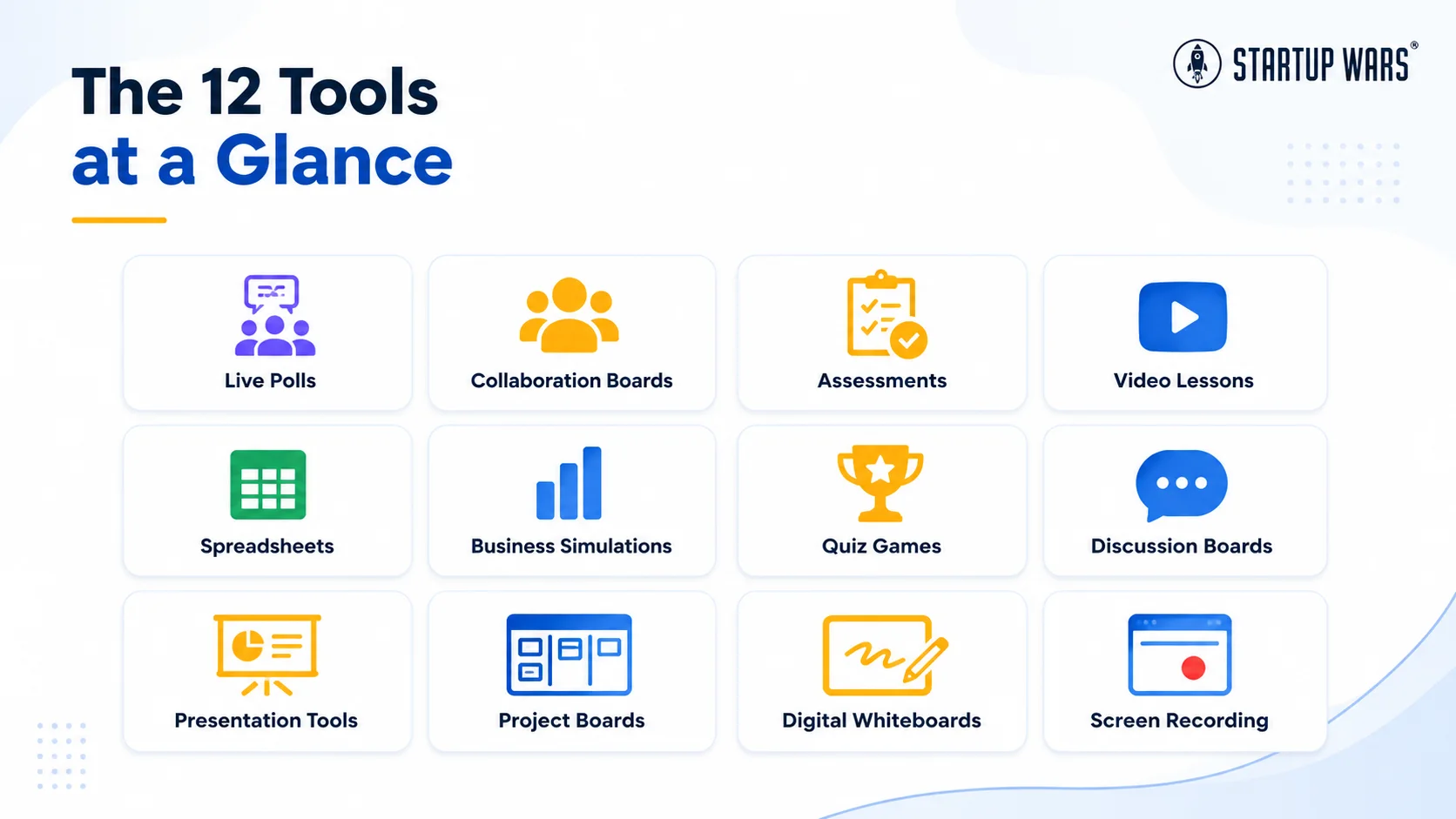
The setup ratings are editorial judgments, not official product ratings. A platform that takes five minutes for one instructor may take 45 minutes, two passwords, and a philosophical crisis for another.
Planning and Preparation
1. MagicSchool AI: Best for Building a Strong First Draft
MagicSchool AI is useful when the instructor needs help creating or adapting:
- Lesson plans.
- Rubrics.
- Quizzes.
- Worksheets.
- Differentiated materials.
- Parent or student communication.
For a business educator, it can help turn a broad objective such as “teach market segmentation” into a first-pass lesson sequence, assessment, or discussion guide.
The important phrase is first pass.
An AI-generated lesson still needs the instructor to check the business accuracy, level of difficulty, source quality, timing, accessibility, and fit with the actual students in the room.
A productive workflow might be:
- Generate a draft lesson on pricing strategy.
- Replace generic examples with a relevant local or industry case.
- Add a business decision students must make.
- Rewrite the rubric around evidence and reasoning.
- Verify every factual claim.
Used this way, AI reduces blank-page time without quietly taking over the course.
Interactive Presentation and Participation
2. Nearpod: Best for Turning Slides Into Active Lessons
Nearpod is strongest when an instructor already has content but wants students to interact with it during the lesson.
Business educators can use it to:
- Poll students before revealing a concept.
- Ask students to annotate a customer journey.
- Embed formative questions in a presentation.
- Compare answers in real time.
- Let students work through a lesson at their own pace.
For example, an instructor could present three pricing strategies and ask students to choose one before seeing the cost and demand data. After the results appear, the class can discuss why the most popular choice may not be the most financially sound.
The risk is adding interactions simply because the platform allows them. A poll should reveal thinking or guide instruction—not function as a digital attendance bell.
3. Mentimeter: Best for Live Decisions and Anonymous Input
Mentimeter works well when the class needs a fast, low-friction way to contribute.
Useful formats include:
- Multiple-choice polls.
- Rankings.
- Scales.
- Word clouds.
- Open responses.
- Anonymous questions.
A business instructor might ask:
- Which risk should a founder address first?
- Which customer segment offers the strongest opportunity?
- What is the greatest weakness in this business model?
- Should the company hire, outsource, or delay?
Displaying the results immediately gives the class something concrete to analyze.
Anonymous participation can be particularly helpful when discussing ethics, leadership, workplace culture, or financial mistakes. It may reveal what students actually think before they begin reverse-engineering the answer they believe the instructor prefers.
Collaboration and Visual Thinking
4. Padlet: Best for Customer Research and Shared Evidence
Padlet gives students a shared space for contributing text, images, video, audio, links, comments, and votes.
In business classes, it works especially well for:
- Customer-discovery findings.
- Competitor research.
- Business-idea galleries.
- Marketing examples.
- Pitch feedback.
- Reflection boards.
- Resource collections.
A customer-research board could include one column for observed problems, another for interview evidence, and another for assumptions that still need testing.
The tool is flexible, which is both its strength and the beginning of its villain origin story.
Without a clear structure, a collaborative board can become a brightly colored wall of links nobody wants to read. Give each section a purpose and tell students what evidence belongs there.
5. Miro: Best for Business Models, Processes, and Systems
Miro is a collaborative visual workspace that works well for complex relationships.
Business educators can use it for:
- Business Model Canvases.
- Customer journeys.
- Process maps.
- Supply-chain diagrams.
- Stakeholder maps.
- Project timelines.
- Affinity mapping.
- SWOT analysis.
- Product-development workflows.
Unlike a static worksheet, a shared board allows teams to move ideas, connect evidence, add comments, vote, and revise the structure as their thinking develops.
A strong use case is to have teams map a business model before a simulation or case, then return afterward and mark which assumptions changed.
One caution: a large digital canvas can create the illusion of depth because it contains 94 sticky notes. Require students to identify the most important relationships and explain what the map means.
6. Canva for Education: Best for Pitches and Business Communication
Canva for Education is useful when students need to communicate a business idea visually.
Possible assignments include:
- Pitch decks.
- Product mockups.
- Brand guides.
- Social-media campaigns.
- Customer personas.
- One-page business plans.
- Infographics.
- Financial summaries.
Templates can lower the design barrier and give students a professional starting point.
However, polished design can hide uncertain thinking remarkably well. A pitch deck should still be assessed on:
- Customer evidence.
- Financial logic.
- Feasibility.
- Competitive understanding.
- Clarity of the recommendation.
A beautiful slide is not a business model, though it can be extremely persuasive during the seven minutes before anyone checks the numbers.
Assessment and Feedback
7. Kahoot!: Best for Fast Retrieval and Review
Kahoot! is useful for quick checks, reviews, and low-stakes competition.
Business educators can use it to review:
- Financial vocabulary.
- Marketing concepts.
- Ownership structures.
- Human-resources principles.
- Accounting relationships.
- Business-law fundamentals.
- Entrepreneurship terminology.
It can also be used for scenario questions:
A company has rising sales but declining cash. Which explanation is most plausible?
The most important design decision is whether speed should matter.
Fast answers may energize a review, but difficult business questions often require calculation or judgment. Use accuracy-focused or untimed formats when the goal is reasoning rather than reflex.
8. Formative: Best for Seeing Student Thinking in Real Time
Formative is designed around live assessment and feedback.
It supports varied question types and lets instructors review student responses while the work is happening.
For business courses, that makes it useful for:
- Financial calculations.
- Short decision memos.
- Market-analysis questions.
- Annotated diagrams.
- Customer-segmentation tasks.
- Case-study responses.
- Exit tickets.
An instructor can see whether students selected the correct price and whether their reasoning reflects cost, demand, and customer value.
That distinction matters. Two students may choose the same option while only one has understood why.
The value of real-time data is not the dashboard itself. It is the opportunity to adjust the lesson before the misconception becomes a final submission.
9. Edpuzzle: Best for Turning Video Into a Case Discussion
Edpuzzle allows instructors to add questions and prompts inside a video.
A business educator could use it with:
- Founder interviews.
- Company case studies.
- Financial explainers.
- Product launches.
- Marketing campaigns.
- Leadership examples.
- Supply-chain stories.
Pause the video immediately before a decision and ask students what they would do. Let them commit before the company’s actual response is revealed.
This changes the video from:
Watch what happened.
to:
Decide what should happen next.
Avoid filling the video with trivia questions merely to prove it was watched. Ask about assumptions, tradeoffs, evidence, and consequences.
Quantitative and Quick-Practice Tools
10. Google Sheets: Best for Making the Numbers Move
Google Sheets is one of the most practical teaching tools in a business course because students can change an assumption and immediately see the financial result.
Use it for:
- Startup budgets.
- Pricing models.
- Break-even calculations.
- Demand forecasts.
- Inventory plans.
- Payroll comparisons.
- Cash-flow projections.
- Marketing return estimates.
- Scenario analysis.
A simple pricing model can ask students to change:
- Price.
- Expected demand.
- Unit cost.
- Marketing spend.
They can then compare revenue, margin, and break-even outcomes.
The spreadsheet should support the business objective rather than become a surprise software-proficiency exam. Provide formulas or scaffolding when spreadsheet construction is not the skill being assessed.
11. ClassTools.net: Best for Fast Utilities and Low-Prep Interaction
ClassTools.net offers quick classroom generators and templates such as:
- Random name and group selectors.
- Countdown timers.
- Quiz and arcade-game generators.
- Bingo.
- QR treasure hunts.
- Crosswords.
- Timeline and diagram activities.
For business educators, it is most useful for short interactions rather than full units.
You might:
- Randomly assign stakeholder roles.
- Generate teams for a negotiation.
- Create a terminology review.
- Run a quick business-concept game.
- Time a pitch exercise.
- Build a QR-based case investigation.
It is a useful reminder that an interactive teaching tool does not need to manage the whole course or come with a 47-slide onboarding webinar.
Decision-Based Business Practice
12. Startup Wars: Best for Connecting Business Functions in One Experience
Startup Wars is our platform, so this recommendation comes with an obvious publisher relationship rather than pretending it wandered independently onto the list.
Startup Wars uses browser-based entrepreneurship simulations in which students make decisions involving:
- Pricing.
- Marketing.
- Inventory.
- Staffing.
- Workload.
- Financial reporting.
- Product choices.
- Resource allocation.
- Growth.
The five venture settings include an apparel company, food truck, vertical farm, mobile app, and makers-market business.
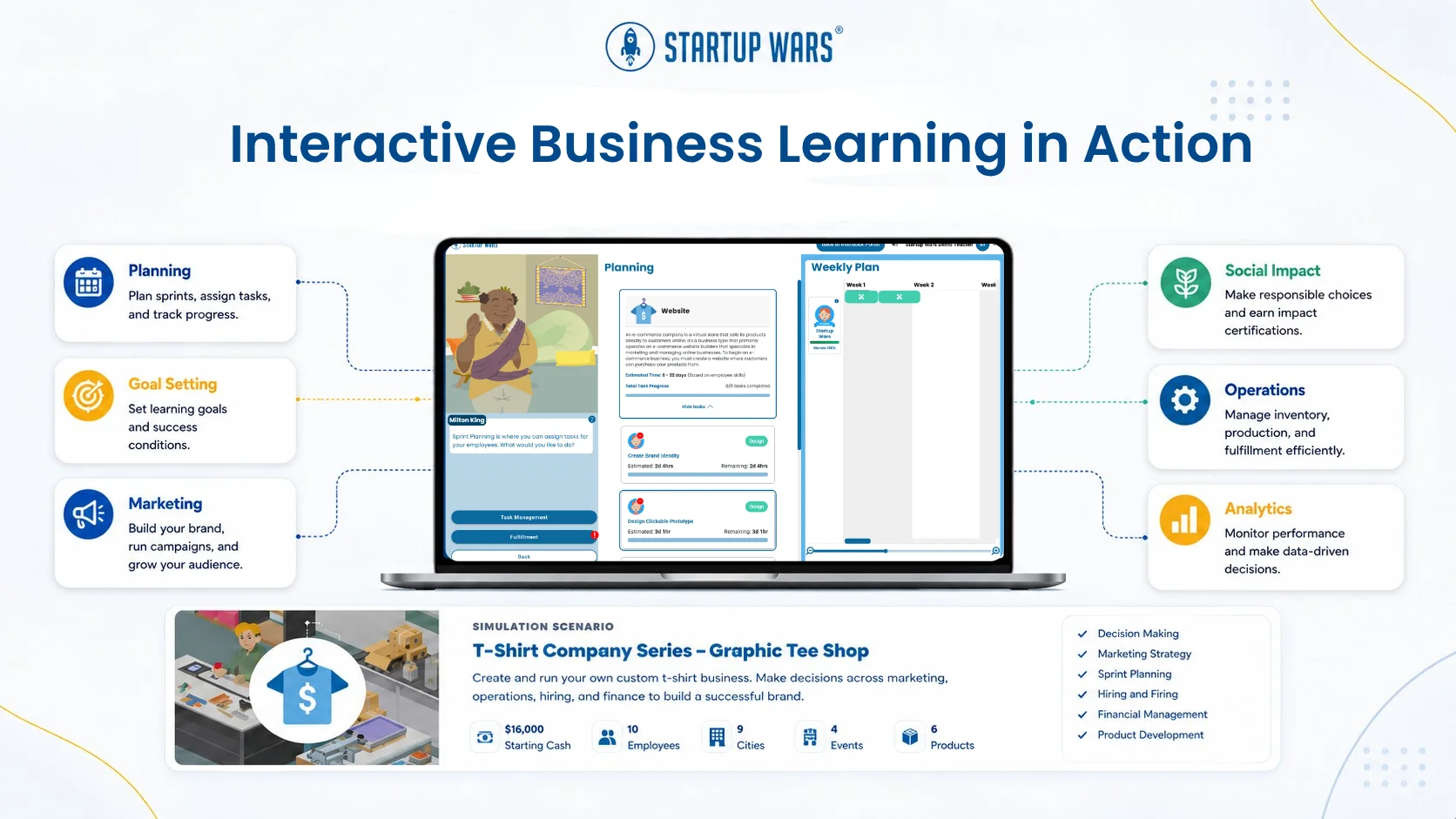
The difference between a simulation and many other interactive teaching tools is that the decisions remain connected.
A pricing change can affect demand. Inventory affects available cash. Hiring changes both capacity and payroll. Marketing may create sales the business is not prepared to fulfill.
That makes a simulation useful when the objective is not merely to remember one concept, but to practice judgment across several functions—which is especially valuable in business simulations for high schools and CTE, where instructors want students exercising that judgment across a full startup rather than one isolated skill.
The instructor still needs to frame the experience, identify the learning goal, and lead the debrief. The software produces decisions and consequences. The class turns them into learning. Startup Wars documents specific classroom outcomes and adoption figures on its Evidence & Outcomes page.
A Lean Five-Tool Stack
A business instructor does not need all 12 tools at once.
A practical starter stack could include:
- MagicSchool AI for first-draft planning and rubrics.
- Nearpod or Mentimeter for live participation.
- Padlet or Miro for collaboration and visual thinking.
- Formative or Kahoot! for checking understanding.
- Startup Wars for integrated business-decision practice.
Use the school’s existing LMS to distribute work and manage the course.
The goal is not to collect platforms as though they are limited-edition trading cards. Each tool should have one clear job.
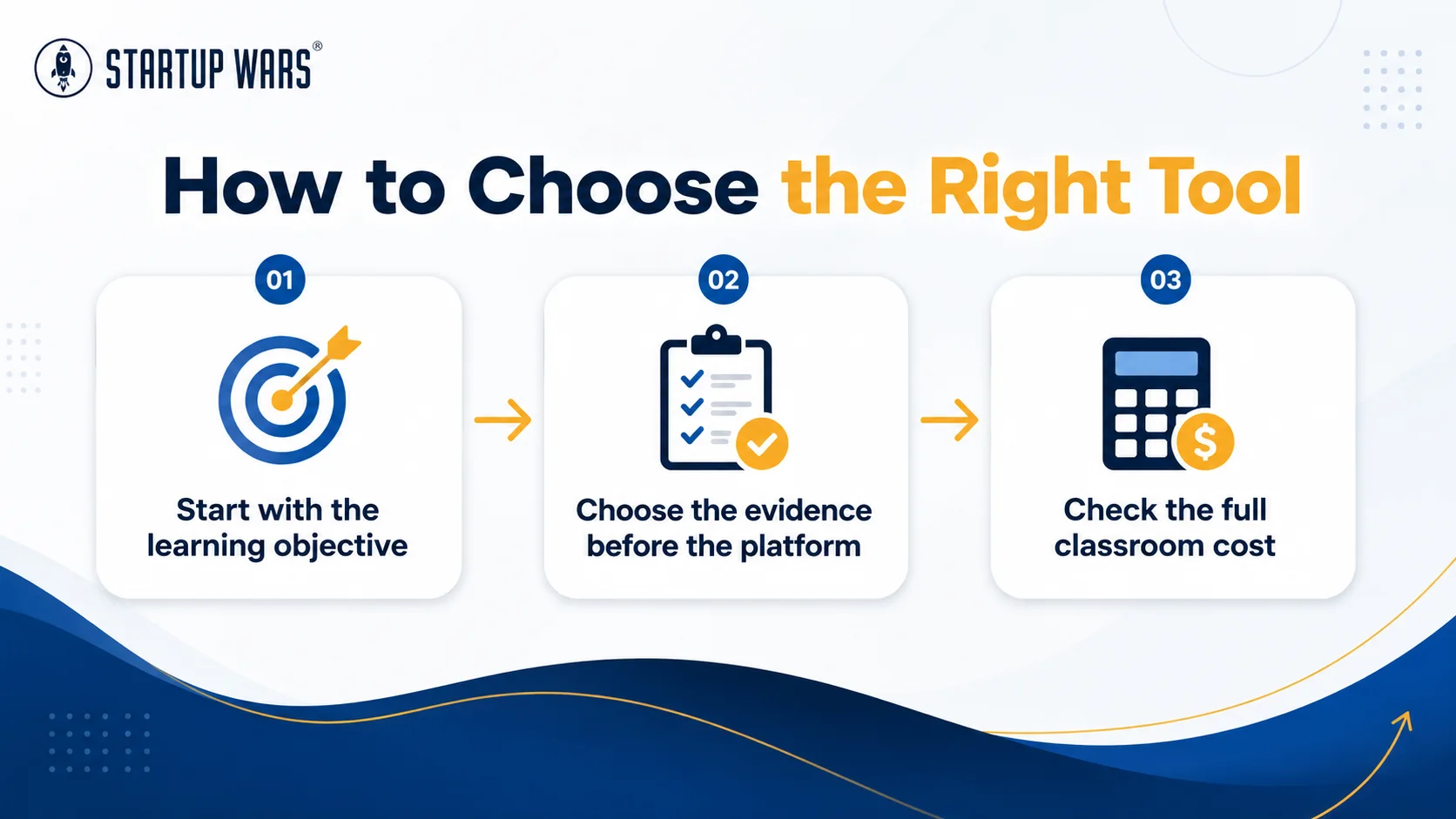
How to Choose the Right Tool
Start with the learning objective
Do students need to:
- Recall?
- Calculate?
- Compare?
- Create?
- Decide?
- Defend?
- Revise?
The verb usually points toward the right tool.
Choose the evidence before the platform
Decide what you need to see:
- A poll result.
- A calculation.
- A collaborative board.
- A pitch.
- A written rationale.
- A decision history.
- A reflection.
Check the full classroom cost
The subscription price is only one cost.
Also consider:
- Setup time.
- Student account creation.
- Device requirements.
- Accessibility.
- Privacy.
- Training.
- Technical support.
- Time lost switching between platforms.
Keep the number of tools reasonable
Students should be learning business, not completing a semester-long scavenger hunt for forgotten passwords.
A smaller, consistent stack usually produces better routines than introducing a new platform every week.
Debrief the interaction
The activity is not complete when the poll closes or the simulation ends.
Ask:
- What did you decide?
- What evidence shaped the choice?
- What happened?
- What assumption changed?
- What would you do next?
Frequently Asked Questions
What Are Teacher Tools?
Teacher tools are physical or digital resources used to plan instruction, deliver lessons, organize classes, support participation, assess learning, provide feedback, or help students practice skills.
What Are the Best Tools for Teaching?
The best tool depends on the task. Nearpod and Mentimeter support interactive instruction, Padlet and Miro support collaboration, Kahoot! and Formative support assessment, Canva supports visual communication, and Startup Wars supports applied business decisions.
What Interactive Teaching Tools Work Best for Business Classes?
Business classes benefit from tools that support decision-making, quantitative analysis, collaboration, presentation, and reflection. Useful options include live polls, shared visual boards, spreadsheets, formative-assessment platforms, video cases, and business simulations.
Which Tools Do Teachers Use Most Often?
Many teachers use a combination of an LMS, presentation software, collaboration tools, assessment platforms, communication systems, spreadsheets, video resources, and subject-specific applications.
What Are Five Useful Assessment Tools?
Five common assessment tools are:
- Low-stakes quizzes.
- Live response systems.
- Analytic rubrics.
- Performance tasks.
- Portfolios or reflections.
The tool should match the learning objective and the kind of evidence the instructor needs.
Does an Interactive Tool Automatically Improve Engagement?
No. A tool can invite participation without producing meaningful thinking. Engagement improves when students have a clear purpose, an appropriate challenge, and a reason to use the result.
The Best Tool Is the One With a Job
Business educators do not need more technology for its own sake.
They need tools that make students’ thinking easier to see and business concepts easier to use.
A poll can expose assumptions. A shared board can organize customer evidence. A spreadsheet can reveal a financial tradeoff. A simulation can connect several decisions and let students learn from the consequences.
Choose the tool after defining the job.
That usually produces better learning—and considerably fewer mystery tabs.
Startup Wars helps high-school, CTE, college, and university educators give students a safe place to practice realistic founder decisions. Students run industry-themed startups, manage tradeoffs, and return to the classroom with results worth analyzing. You can find more free lesson ideas, templates, and planning frameworks in our business educator resources library.
The platform is one part of the teaching stack, not the entire toolbox.
Explore Startup Wars for Educators
About the author
Andrea Martinez
Startup Wars marketing and content contributor
Andrea writes about entrepreneurship education, experiential learning, and the programs and product ideas shaping Startup Wars.